
Why Is My New Dehumidifier Not Working?
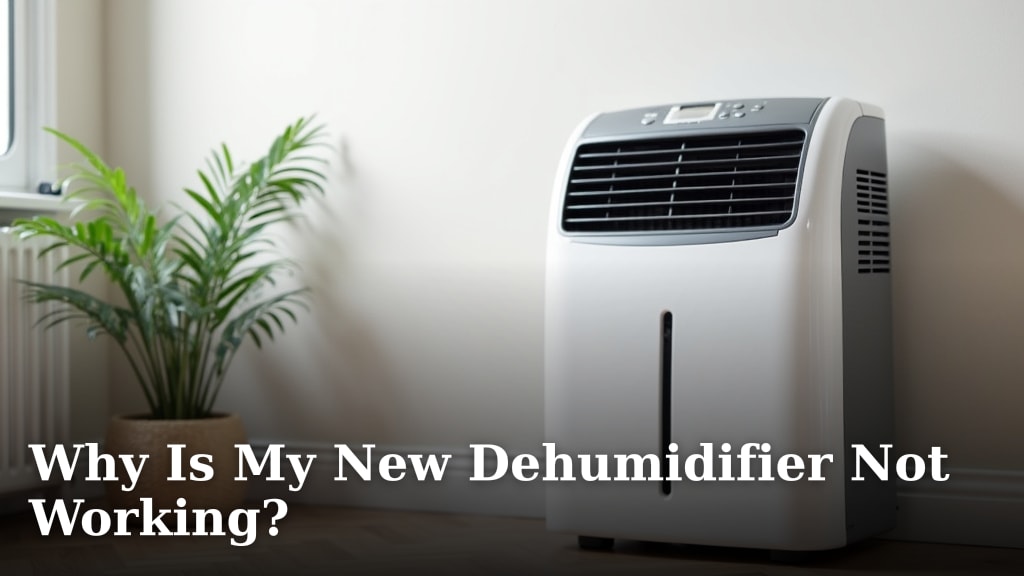
If your new dehumidifier isn’t working, it’s likely due to a few common and easily fixable issues. Most often, it’s because the water collection tank is full or not properly seated, or the power cord isn’t securely plugged in. These simple checks solve the problem for many users right away.
We understand how frustrating it is when a brand-new appliance doesn’t perform as expected. Several factors, beyond just a full tank, can cause your dehumidifier to seem like it’s not working. These can range from incorrect settings to basic maintenance needs that are often overlooked.
TL;DR:
- Check if the water tank is full or not correctly placed.
- Ensure the power cord is firmly plugged in at both ends.
- Verify that the humidity settings are correct for your needs.
- Make sure the air filter is clean and not blocking airflow.
- Confirm the room temperature is within the dehumidifier’s operating range.
Let’s walk through these common culprits and get your new dehumidifier back to tackling that excess moisture.
Troubleshooting Your New Dehumidifier’s Performance
It’s certainly disappointing when a new appliance doesn’t seem to be doing its job. You’ve plugged it in, expecting that fresh, dry air, but instead, you’re left wondering, “Why isn’t my new dehumidifier working?” Let’s tackle this together. We’ve found that most issues with new units are surprisingly simple to resolve.
Understanding the Basics of Dehumidifier Operation
Before we dive into troubleshooting, it helps to quickly recap what your dehumidifier is doing. It pulls in moist air, cools it down over coils (much like your refrigerator), which causes the water vapor to condense into liquid. This liquid then drips into a collection tank. Meanwhile, drier air is released back into the room. This process is efficient but relies on a few key things working correctly.
The Collection Tank: More Than Just a Bucket
The water collection tank is arguably the most frequently checked component. If it’s not seated correctly, the dehumidifier won’t run. Think of it like a safety switch. The machine needs to know the tank is in place and ready to catch water.
Is the Tank Properly Seated?
Take the tank out and then carefully slide it back in until you hear or feel a click. This ensures it’s fully engaged. Sometimes, a small piece of packaging can get stuck in the tracks, preventing a proper fit. Give the tank area a quick visual check.
Has the Tank Filled Up Already?
This sounds obvious, but it’s a common oversight. Your dehumidifier might have run for a short while during testing before you bought it. If the tank is already full, the unit will automatically shut off to prevent overflow. Emptying it should get things going again.
Is the Float Ball in Place?
Most tanks have a float ball that rises with the water level. If this ball is dislodged or stuck, it can trick the dehumidifier into thinking the tank is full, even when it’s not. Ensure it’s loose and can move freely within the tank.
Power and Settings: The Invisible Connection
You’d be surprised how many “broken” appliances just need a better connection to the power source or a quick adjustment to their settings. These are the easiest fixes, so let’s rule them out first.
The Power Cord Connection
First, check that the power cord is securely plugged into the wall outlet. Give it a firm push. Then, make sure the cord is fully inserted into the dehumidifier itself. Some models have a detachable cord that might have come loose during shipping.
Is the Circuit Breaker Tripped?
While less common for a new unit, it’s worth checking your home’s electrical panel. If the breaker for the room where your dehumidifier is plugged in has tripped, it won’t receive power. Resetting it might solve the problem. We found that devices drawing significant power can sometimes cause breakers to trip.
Humidity Settings: Not Too High, Not Too Low
Your dehumidifier has a humidistat, which is like its internal thermostat for moisture. If you’ve set it to a very low humidity level (e.g., 30%), and the current room humidity is only slightly higher, the unit might not engage because it’s already close to your target. Try increasing the desired humidity level to see if the compressor kicks on.
The “On” Button or Mode Selection
Did you accidentally press a “fan only” mode? Some units have different settings. Ensure you’ve selected a mode that actively dehumidifies. Likewise, double-check that the unit is actually turned on and not just plugged in. It sounds simple, but in the excitement of setting up a new gadget, these small steps can be missed.
Airflow is King: Keeping Things Moving
Dehumidifiers need unobstructed airflow to work efficiently. If air can’t get in or out properly, it won’t be able to remove moisture. This is where filters and placement become critical.
The Air Filter: A Breath of Fresh (and Dry) Air
The air filter catches dust and debris, protecting the internal components. A clogged filter can severely restrict airflow. Since it’s a new unit, the filter should be clean. However, it might have been installed improperly or have some manufacturing dust on it.
Checking and Cleaning the Filter
Consult your user manual for the exact location of the filter. Most are easily accessible from the back or side. Remove it and hold it up to a light. If you can’t see light through it, it needs cleaning. Gently vacuuming or rinsing it with water (and letting it dry completely!) can often fix airflow issues. Many manufacturers recommend cleaning the filter every 2-4 weeks (EPA).
Is the Filter Installed Correctly?
Sometimes, a filter can be put in backward or not fully seated. This can also impede airflow. Make sure it’s oriented the right way, as indicated in your manual.
Room Placement: Giving Your Dehumidifier Space
Where you put your dehumidifier matters. It needs room to breathe! Blocking the air intake or outlet vents will significantly reduce its effectiveness.
Clearance Around the Unit
We found that most manufacturers recommend leaving at least 6 to 12 inches of space around the dehumidifier. Avoid pushing it right up against walls, furniture, or curtains. This ensures the air can circulate freely.
Avoid Humid Obstacles
Don’t place your dehumidifier near heat sources like radiators or in enclosed spaces like closets without proper ventilation. These conditions can make it harder for the unit to do its job efficiently.
Environmental Factors: Is the Room Right?
Dehumidifiers are designed to work within specific environmental conditions. If your room is too cold or too hot, it might not operate as expected.
Temperature Considerations
Most standard dehumidifiers are most effective in temperatures between 65°F and 90°F. If the room is significantly colder than this, the coils inside can frost over. This frost can impede the dehumidifying process and may cause the unit to shut off. Some “low-temperature” or “frost-free” models exist, but check your unit’s specifications.
Checking the Room Temperature
Use a thermometer to check the actual room temperature. If it’s below the optimal range, you might need to wait until the room warms up or consider a dehumidifier designed for cooler environments.
Internal Issues: When Simple Fixes Aren’t Enough
If you’ve gone through all the previous steps and your dehumidifier still isn’t working, there might be a more involved issue. While it’s a new unit, manufacturing defects can occur.
Listen for Unusual Noises
When you turn the unit on, do you hear the fan running? Do you hear the compressor kicking in (a low hum or rumble)? If there’s absolutely no sound, it points towards a power issue or a problem with the internal motor or compressor. If you hear the fan but not the compressor, it could indicate a problem with that specific component.
Check for Error Codes
Some modern dehumidifiers display error codes on their panel if they detect a problem. Consult your user manual to see if any lights are blinking or if a code is displayed. The manual will tell you what the code means and what steps to take.
When to Contact Support
If you’ve tried everything and your new dehumidifier still isn’t performing, it’s time to consider contacting the manufacturer or the retailer. Since it’s a new appliance, it should be covered under warranty. Documenting the steps you’ve already taken can be helpful when you speak with their support team. Many experts suggest keeping troubleshooting logs (National Institute of Standards and Technology).
Let’s recap the quick checks:
- Tank Check: Is it full or seated correctly?
- Power Check: Is the cord plugged in firmly at both ends?
- Settings: Are humidity levels and modes set appropriately?
- Airflow: Is the filter clean and is there space around the unit?
- Environment: Is the room temperature within the operational range?
Conclusion
It’s definitely frustrating when your new dehumidifier isn’t working as expected. Remember, most common issues stem from simple, fixable problems. You’ve learned to check the water tank, power connections, and settings. You also know the importance of clean airflow and proper placement. Even room temperature plays a role.
Before you contact support, run through this checklist one more time. If none of these steps resolve the issue, it’s time to reach out to the manufacturer. Your new unit is likely under warranty, and they can help troubleshoot further or arrange a repair or replacement. You’ve got this!
Frequently Asked Questions
My dehumidifier is on, but no water is collecting. What could be wrong?
This often means the dehumidifier isn’t actively removing moisture. Ensure the humidity setting isn’t too high for the room’s current levels. Also, check that the air filter is clean and that there’s adequate airflow around the unit.
Can a dehumidifier stop working if the room is too cold?
Yes, it can. Most standard dehumidifiers operate best between 65°F and 90°F. If the room is much colder, the internal coils can frost over, preventing it from dehumidifying effectively and potentially causing it to shut down.
My new dehumidifier makes noise, but it’s not collecting water. Is something broken?
A running fan is a good sign, but if the compressor isn’t kicking in, it won’t dehumidify. This could be due to the room not being humid enough for the set level, or it might indicate an issue with the compressor itself. Double-check your settings and room humidity.
What should I do if my dehumidifier’s water tank is empty, but it still says it’s full?
This usually means the float ball inside the tank is stuck or dislodged. Carefully remove and reinsert the tank, ensuring the float ball is able to move freely. If the problem persists, the sensor might be faulty.
Is it normal for a new dehumidifier to need frequent emptying?
If you live in a very humid climate, yes, it’s normal. However, if the tank fills up unusually quickly right from the start, double-check that the unit isn’t placed too close to a heat source or in an enclosed space that’s trapping moisture.
