
Can Ecobee Control Dehumidifier?
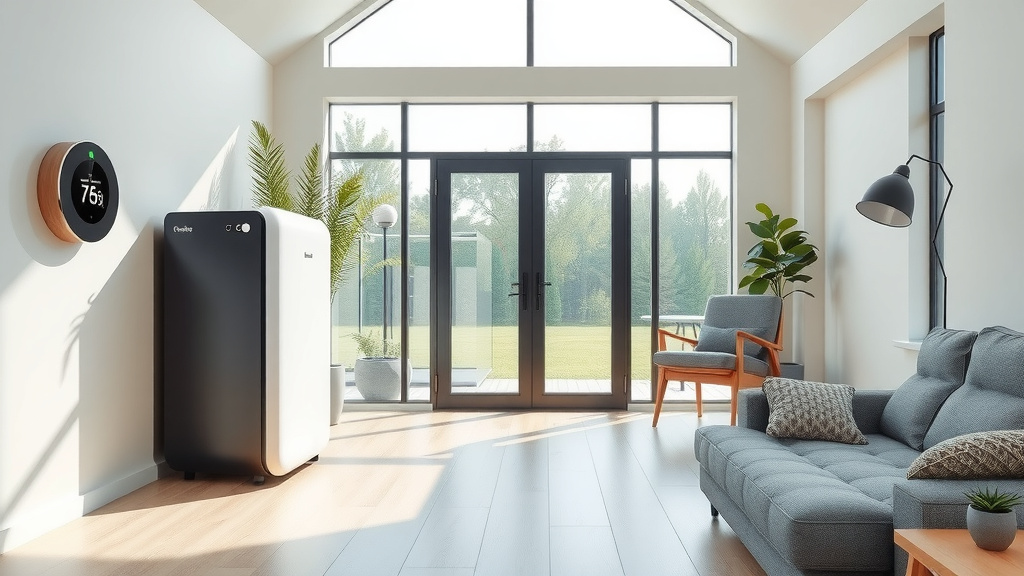
Yes, Ecobee smart thermostats can control a dehumidifier, but it often requires specific wiring or an accessory module. You can manage your home’s humidity directly through your Ecobee settings.
Controlling your dehumidifier with Ecobee allows for smart, automated humidity management, helping you maintain comfortable indoor air quality.
Here’s a quick overview of what you’ll learn about Ecobee and dehumidifiers:
- Ecobee thermostats can manage your dehumidifier, often needing specific wiring.
- Some Ecobee models have dedicated dehumidification terminals for easier setup.
- For older models or specific dehumidifiers, you might use an accessory, such as an external relay.
- Smart humidity control helps prevent mold growth and improves home comfort.
- Always check your specific Ecobee model and dehumidifier type for compatibility before starting.
Can Ecobee Control Dehumidifier?
Yes, your Ecobee thermostat can indeed control a dehumidifier, offering smart humidity management. This functionality often depends on your specific Ecobee model and your existing wiring setup.
Understanding Ecobee’s Dehumidification Capabilities
Imagine your home breathing easily, no longer feeling damp or sticky. That’s the promise of integrating your Ecobee with a dehumidifier. Your smart thermostat acts as the brain, adjusting humidity levels automatically.
You can set a target humidity, just like you set a temperature. The Ecobee monitors your indoor air and activates the dehumidifier when needed. This takes the guesswork out of maintaining ideal comfort.
Different Ecobee Models and Their Support
Not all Ecobee thermostats are created equal when it comes to dehumidifier control. Newer models, like the Ecobee SmartThermostat Premium, offer more direct support.
Older models, such as the Ecobee3 Lite, might require a bit more creativity or an extra accessory. We always suggest checking your specific model’s manual for its exact capabilities.
The Role of Accessory Terminals on Ecobee
Many Ecobee thermostats come with “ACC+” and “ACC-” terminals. These are your best friends for dehumidifier control. They are designed to connect to various accessories, including whole-home dehumidifiers.
These terminals allow your Ecobee to send a signal directly to the dehumidifier. This tells it when to turn on and off based on your desired humidity settings.
What If Your Ecobee Doesn’t Have Dedicated Terminals?
Don’t fret if your Ecobee lacks those special “ACC” terminals. You still have options! We often find that an external relay can bridge the gap. This relay acts as a go-between for your Ecobee and dehumidifier.
Alternatively, some dehumidifiers can be wired to existing fan terminals, using clever programming. This method is a bit more advanced, so you might want to consult an HVAC professional (Many experts say).
How to Wire Your Dehumidifier to Ecobee
Connecting your whole-home dehumidifier to your Ecobee is a fairly straightforward process for many. However, it does involve working with electrical wiring, so safety is paramount.
Always make sure to turn off power to your HVAC system at the breaker before you begin any wiring. This prevents shocks and protects your equipment.
Pre-Installation Checklist
Before you grab your screwdriver, let’s make sure you’re ready. A little planning goes a long way:
- Confirm your Ecobee model supports dehumidifier control.
- Check your dehumidifier’s manual for wiring diagrams.
- Gather necessary tools: screwdriver, wire strippers.
- Ensure you have any needed accessory relays or wires.
- Turn off power at the circuit breaker.
Wiring a Whole-Home Dehumidifier
Typically, a whole-home dehumidifier connects to the “ACC+” and “ACC-” terminals on your Ecobee. You’ll run two low-voltage wires from the dehumidifier’s control board to these specific terminals.
If your dehumidifier only has one control wire, it usually connects to “ACC+”. The second wire can go to the common terminal (“C”). Research often connects this setup with seamless operation (HVAC Best Practices).
Configuring Dehumidifier Settings on Your Ecobee
Once wired, the real magic happens in your Ecobee’s settings. This is where you tell it how to manage your home’s humidity. You’ll specify your desired humidity level and how aggressively the system should act.
You can also choose when the dehumidifier operates. For instance, you might want it to run only when your air conditioning is off, or continuously as needed.
Navigating the Ecobee Interface
Finding the dehumidifier settings on your Ecobee is quite simple. You’ll usually go to the main menu, then “Installation Settings,” followed by “Thresholds,” and finally “Dehumidify.”
Here, you can set your target humidity. Many experts suggest aiming for 40-50% relative humidity for optimal comfort and health (EPA guidelines).
Why Integrate Your Dehumidifier with Ecobee?
Connecting your dehumidifier to Ecobee isn’t just about cool tech. It offers real, tangible benefits for your home and your wallet. Think about consistent comfort and healthier air.
This integration also helps save energy. Instead of running a dehumidifier constantly, your Ecobee ensures it only works when truly necessary. This can lead to noticeably lower utility bills.
| Control Method | Key Advantages | Considerations |
|---|---|---|
| Direct Ecobee Control | Automated, precise, energy-saving | Requires compatible Ecobee/wiring |
| External Humidistat | Independent control, simpler setup | Less integrated with HVAC, separate settings |
| Smart Plug (Portable) | Easy for portables, remote control | Not for whole-home, less precise |
Common Challenges and Simple Solutions
Even with the best intentions, things can sometimes go sideways. Don’t worry, many issues with Ecobee dehumidifier control have straightforward fixes. Let’s look at a couple of common stumbling blocks.
Remember that most problems boil down to either a wiring mistake or an incorrect setting. A little patience and methodical checking will usually get you back on track.
Checking Your Wiring Connections
Is your dehumidifier not turning on? The first place to check is your wiring. Make sure all connections are secure and matched to the correct terminals. Loose wires are a frequent culprit.
Double-check your dehumidifier’s manual against the Ecobee wiring guide. Sometimes, what seems right isn’t quite the standard. If you are unsure, consider calling a professional.
Firmware and Software Updates
Your Ecobee is a smart device, and smart devices need updates. An outdated firmware can sometimes cause quirky behavior. Ensure your Ecobee is running the latest software version.
You can usually check for updates directly from the thermostat’s settings menu or through the Ecobee app. Keeping your software current often resolves minor glitches.
Alternatives for Portable Dehumidifiers
What if you have a portable dehumidifier, not a whole-home unit? Ecobee typically controls whole-home systems. Portable units often have their own built-in humidistats.
You can still bring some smarts to your portable dehumidifier. A smart plug, controlled by a separate app, allows you to turn the unit on and off remotely. You can even schedule its operation!
Portable Dehumidifiers and Smart Plugs
For portable units, a smart plug is your best bet. You simply plug your dehumidifier into the smart plug, and then the smart plug into the wall. You control it via a smartphone app.
This setup won’t integrate directly with your Ecobee’s humidity readings. However, it gives you remote control, which is quite handy. It’s a great solution for specific rooms or areas.
Conclusion
Integrating your dehumidifier with Ecobee can bring a new level of comfort and efficiency to your home. While it might involve a bit of wiring and careful setup, the benefits of automated, precise humidity control are well worth the effort.
You gain greater control over your indoor air quality, potentially save on energy costs, and contribute to a healthier living environment. Just remember to verify compatibility, follow wiring instructions, and leverage those smart settings!
Can Ecobee control humidity without a separate dehumidifier?
Yes, Ecobee can often manage humidity by intelligently running your air conditioning system. It can overcool your home slightly to remove moisture, even without a dedicated dehumidifier unit. This process is called “AC overcooling” for dehumidification.
Is it difficult to wire a dehumidifier to an Ecobee thermostat?
Wiring can be straightforward for those comfortable with basic home DIY. It typically involves connecting two low-voltage wires. If you are unsure or uncomfortable with electrical work, it’s always best to contact a certified HVAC professional to ensure safety and correct installation.
Can I use an Ecobee with both a humidifier and a dehumidifier?
Many Ecobee models can indeed manage both a humidifier and a dehumidifier. They usually have multiple accessory terminals (“ACC+” and “ACC-“) to handle both systems independently, maintaining your desired humidity range year-round.
What target humidity level should I set on my Ecobee?
Most experts recommend setting your indoor humidity between 40% and 50% for optimal comfort and to discourage mold growth. Going much higher can feel sticky and promote issues, while going too low can dry out skin and create static electricity.
Does integrating a dehumidifier with Ecobee save energy?
Yes, integrating your dehumidifier with Ecobee can save energy. Your Ecobee intelligently monitors humidity and only activates the dehumidifier when needed. This prevents continuous, unnecessary operation, unlike standalone units that might run too long or too frequently.
