
Can a Dehumidifier Damage a Computer?
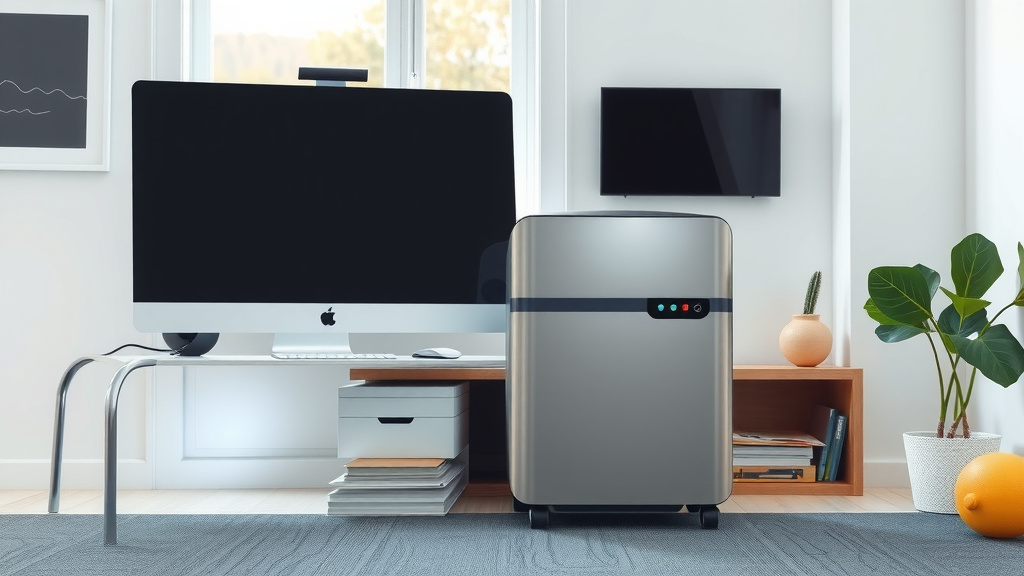
No, a dehumidifier is generally safe for your computer and can even protect it from humidity-related damage.
However, placing a dehumidifier too close to your computer or creating extremely dry conditions might cause minor issues.
Here’s a quick summary of what you’ll find in this article:
- Your computer is usually safe around a dehumidifier.
- Dehumidifiers actually help protect electronics from moisture.
- Too much dryness or improper placement can cause small problems.
- Maintain ideal humidity levels for best results.
- Learn simple tips for safe dehumidifier use near your tech.
Can a Dehumidifier Damage a Computer?
Most often, a dehumidifier acts as a guardian for your electronics, not a foe. It keeps your computer safe from the true enemy: excessive moisture.
Research suggests that high humidity is a far greater threat to your precious tech than a properly used dehumidifier (NIST research on electronics degradation).
The Real Enemy: High Humidity
Imagine your computer’s internal parts. They’re tiny and sensitive. When the air is too damp, moisture can sneak in and cause trouble.
This excess humidity can lead to corrosion on circuit boards. It might even cause short circuits or invite mold growth inside your machine.
These are the silent killers that slowly degrade your computer’s performance. They can shorten its lifespan significantly, which nobody wants.
How a Dehumidifier Helps Your Computer
Think of a dehumidifier as a bodyguard for your electronics. It actively removes extra moisture from the air.
By keeping the humidity in check, it prevents those nasty effects like corrosion and short circuits. Many experts confirm that this creates a safer environment for your devices.
It helps maintain optimal operating conditions for sensitive electronic components. This also means your computer can often run cooler.
When Could a Dehumidifier Pose a Problem?
While generally helpful, there are rare instances where a dehumidifier could cause a minor concern. These are usually due to extreme settings or poor placement.
It’s not about the machine itself, but how it’s being used. Let’s look at the few “what ifs.”
Too Much Dryness: A Rare Concern
Just as too much humidity is bad, extreme dryness can sometimes be a problem. Static electricity builds up more easily in very dry air.
However, modern electronics are designed to withstand normal static shocks. You would need truly Sahara-desert-like dryness to cause an issue.
We found that maintaining humidity between 40-60% typically avoids these issues. Most dehumidifiers won’t push levels below this naturally.
Placement Matters for Your Dehumidifier
Where you put your dehumidifier can make a difference. Placing it right next to your computer is probably not the best idea.
Dehumidifiers produce a little heat and some airflow. Direct exposure to this airflow might affect your computer’s cooling system over time.
Also, the water collection tank could accidentally leak. Although rare, a leak near electronics is something to avoid at all costs.
The Ideal Humidity Zone for Your Tech
So, what’s the sweet spot? We found that an indoor humidity level between 40% and 60% relative humidity is perfect.
This range is comfortable for you and safe for your electronics. It prevents corrosion and static electricity alike.
Most dehumidifiers allow you to set a target humidity level. Aim for somewhere in the middle of this range, like 50%.
Tips for Safe Dehumidifier Placement
Ready to set up your dehumidifier like a pro? Here are some simple guidelines:
- Keep it at a distance: Place your dehumidifier a few feet away from your computer.
- Avoid direct airflow: Make sure the dehumidifier’s air exhaust isn’t blowing straight onto your computer.
- Clear access: Ensure there’s good airflow around the dehumidifier itself.
- Elevate if possible: If you have a large dehumidifier, placing it on a small stand can help air circulation.
Setting Your Dehumidifier for Success
Using your dehumidifier correctly is key to protecting your computer. Here are steps to ensure it’s doing good, not harm:
- Set the target humidity: Aim for 45-55% for optimal computer safety.
- Monitor the room’s humidity: A separate hygrometer can give you peace of mind.
- Empty the tank regularly: Prevent any potential water overflow mishaps.
- Clean filters: A clean filter ensures efficient operation and prevents dust buildup.
Comparing Humidity Risks for Computers
Let’s put things in perspective. Here’s a quick look at how different humidity levels can impact your computer:
| Humidity Level | Impact on Computer |
|---|---|
| Below 30% (Very Dry) | Slight increase in static electricity risk, but usually harmless. |
| 40% – 60% (Ideal) | Optimal conditions. No risk of corrosion or static buildup. |
| Above 70% (Very Humid) | High risk of corrosion, mold, short circuits, and component failure. |
Signs Your Computer is Suffering from Humidity
If you suspect humidity is affecting your computer, there are some tell-tale signs. You might notice slower performance or strange errors.
Visible rust or corrosion on connectors is a clear indicator. Unexplained shutdowns can also be a symptom of internal moisture damage.
Sometimes, a damp, musty smell coming from your computer can signal mold inside. These are definite red flags to watch for.
Beyond Dehumidifiers: Other Computer Protectors
While a dehumidifier handles humidity, other simple habits boost your computer’s health. Keeping your space clean is a big one.
Regularly dusting your computer prevents dust buildup that traps moisture. Ensure good ventilation around your computer to keep it cool.
Using a surge protector also safeguards against electrical spikes. This provides all-around protection for your valuable equipment.
Checklist for Protecting Your Computer
Want to make sure your computer is safe and sound? Use this quick checklist:
- Dehumidifier set to 40-60% humidity?
- Dehumidifier placed away from computer?
- No direct airflow onto computer?
- Computer area free of dust and debris?
- Room well-ventilated for optimal airflow?
Conclusion
Rest easy, your dehumidifier is likely a friend, not a foe, to your computer. When used correctly, it acts as a crucial defense against humidity.
High moisture is the real villain, causing corrosion and damaging delicate electronics. Your dehumidifier actively combats this threat.
Just remember to maintain ideal humidity levels and practice smart placement. You’ll ensure your computer enjoys a long, healthy, and problem-free life.
Can a dehumidifier cause static electricity to damage my computer?
Extremely low humidity, usually below 30%, can increase static electricity. While this theoretically could cause issues, modern computers are robust. Most dehumidifiers won’t create such dry conditions that this becomes a significant risk for your device.
What is the optimal humidity level for a computer room?
The ideal humidity range for a room with a computer is generally between 40% and 60% relative humidity. This range is comfortable for people and provides excellent protection for sensitive electronics, preventing both corrosion and excessive static buildup.
Should I place my dehumidifier right next to my computer?
No, it’s best to keep your dehumidifier at least a few feet away from your computer. Dehumidifiers produce some heat and airflow, which could interfere with your computer’s cooling. Also, a potential water leak is a risk you want to avoid near electronics.
How can I tell if my computer is suffering from too much humidity?
Signs of humidity damage can include slower performance, unexplained errors, or frequent crashes. You might also notice visible corrosion on metal parts, a musty smell, or even internal mold growth if the humidity has been consistently high for a long time.
Is it better to have slightly higher or lower humidity for electronics?
It’s generally better to lean towards slightly lower humidity within the safe 40-60% range. Excessive humidity (above 70%) poses a much greater and more immediate threat to electronics due to corrosion and short circuits than slightly dry conditions do. Balance is key, but dry is safer than damp.
