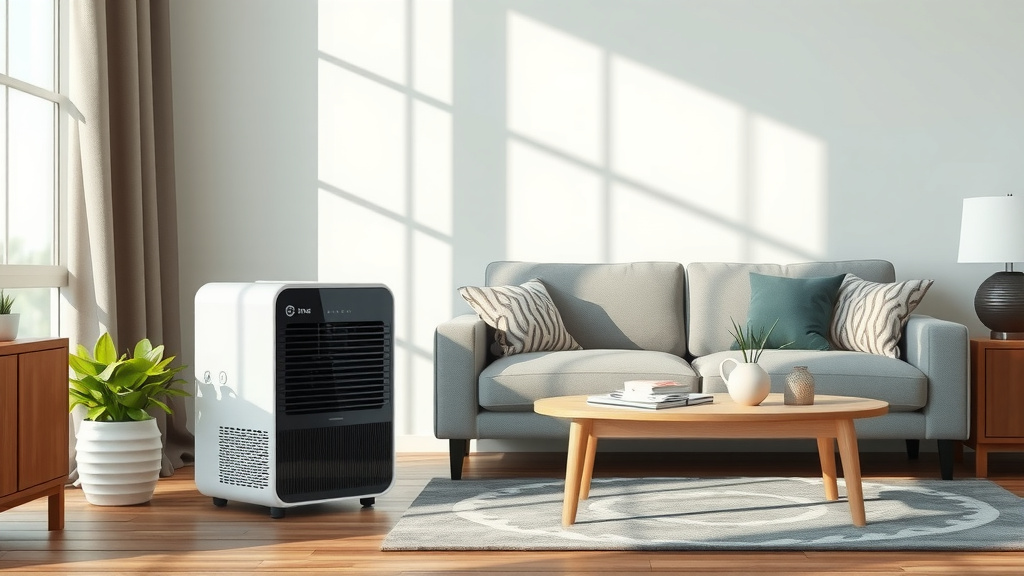
Can a Dehumidifier Affect Your TV?
A dehumidifier will not harm a TV in normal use, and it can help electronics by keeping humidity in a moderate range. Keep the unit a few feet away, aim air away from the screen and vents, and empty or drain it on schedule.
On this page (9 sections)
- Does a dehumidifier harm a TV or other electronics?
- Will a dehumidifier affect electronics like TVs when placed nearby?
- How does airflow from a dehumidifier reach a TV?
- What humidity level is safe for TVs and living rooms?
- Can a dehumidifier create static that harms electronics?
- Which dehumidifier fits a living room with a TV?
- How do you care for a dehumidifier near electronics?
- What mistakes put TVs at risk around dehumidifiers?
- Will a dehumidifier affect electronics like TVs in the long run?
A dehumidifier will not harm a TV in normal use, and it can help electronics by keeping humidity in a moderate range. Keep the unit a few feet away, aim air away from the screen and vents, and empty or drain it on schedule.
Will a dehumidifier affect electronics like TVs? The main risk is not the dry air itself.
The risk comes from poor placement, water leaks, blocked airflow, or running the room far too dry for weeks at a time.
Does a dehumidifier harm a TV or other electronics?
No, a dehumidifier does not harm a TV by drying room air to a normal indoor level. Most home electronics are built for ordinary indoor humidity, not for damp basements or steamy rooms.
Excess humidity can cause condensation on circuit boards, corrosion on contacts, and musty odors inside vents. A dehumidifier lowers that risk when it runs in the same room as a TV, soundbar, game console, or media player.
Dry air can raise static electricity, but that concern grows when humidity falls well below 30 percent. A target near 45 percent gives you a safer balance for wood furniture, screens, and electronics in the same space.
Keep liquids away from the unit and the TV both. A full tank, a loose drain hose, or a spill can damage electronics faster than dry air ever will.
Will a dehumidifier affect electronics like TVs when placed nearby?
Placement matters more than the mere presence of a dehumidifier in the room. Air leaving the unit is drier at first, then mixes with room air as it travels.
Put the dehumidifier at least 3 to 6 feet from a TV, computer, or stereo receiver. That distance lets discharge spread out instead of blowing into vents or across a warm screen.
Do not place it inside a TV stand, under a desk with cables, or behind a sofa where air cannot circulate. Restricted airflow makes it work harder and can raise heat around nearby gear.
Avoid carpet that blocks the intake. Most floor models draw air from the front and sides, so leave open space for steady airflow.
If your living room is large or open, our guide on can a small dehumidifier work in a large room helps you match size to space before you buy.
How does airflow from a dehumidifier reach a TV?
Airflow follows the path of least resistance across the floor and along open walls. A TV on a stand can sit right in that path if the unit faces it.
Point the front of the dehumidifier toward the open room, not toward the TV wall. A slight angle toward a doorway or the center of the room usually spreads dry air more evenly.
Heat matters too. A TV gives off heat during a long movie, and a dehumidifier also releases a little warm air.
Space between them helps both shed heat without warming each other.
Do not aim a fan or air vent at the dehumidifier intake. Mixed currents can confuse its humidity sensor and cause short cycling.
For a wider view of room layout, see can I use a dehumidifier in my living room and match unit size to your seating and screen area.
What humidity level is safe for TVs and living rooms?
Aim for 40 to 50 percent relative humidity in a living room with a TV. That range limits dust mites and mold while avoiding static buildup.
Above 60 percent, condensation and corrosion risks rise, especially in cool corners near windows. Below 30 percent, wood, leather, and static-sensitive gear can suffer over time.
Use the built-in humidity reading on the unit, but treat it as a guide. Place a room hygrometer near the TV if you want a second reading at eye level.
Seasonal changes shift the target. Winter heating can dry the air fast, so the dehumidifier may run less.
Summer humidity often needs more run time in rooms with doors closed.
If you only need moisture control in one corner, a passive option may help. Our explainer on does DampRid work like a dehumidifier covers when passive control is enough and when it is not.
Can a dehumidifier create static that harms electronics?
Static risk rises in dry winter air, not in a room held near 45 percent humidity. A dehumidifier can make static worse only if you push the target far too low.
Keep the setting moderate and add normal household sources of moisture back into the mix. Showers, cooking, and daily door openings often add enough vapor in a lived-in home.
Ground sensitive gear through a normal power strip or surge protector. That step protects against power surges, which are a separate and more direct threat to TVs than room humidity.
Do not use a dehumidifier to fix a TV that already shows flicker, spots, or overheating. Those symptoms call for a manual check or a service call, not a humidity change.
How do you set up a TV area for safer drying?
Step 1: Choose an open spot across the room
Place the unit near an interior wall with air open on at least three sides. Keep it visible so you can check the tank or drain hose without moving furniture.
Step 2: Set a moderate humidity target
Start at 45 percent and watch how the room feels for a few days. Raise the target if your eyes, skin, or wood furniture feel too dry.
Step 3: Route water away from electronics
Use a drain hose to a sink or floor drain when the layout allows it. If you use a tank, empty it before it reaches the auto shut-off level.
Step 4: Leave space around vents
Keep curtains, blankets, and storage bins clear of the TV vents and the dehumidifier intake. Clear space helps both devices run at normal temperatures.
Which dehumidifier fits a living room with a TV?
A living room unit needs quiet run time, steady airflow, and a tank or drain you will actually maintain. Size should match the room, not just the screen wall.
The VEAGASO 34-36 Pint/D is rated for 2,500 sq ft and pulls up to 36 pints per day. It has three modes, including a continuous mode for damp areas, and it runs at 40 dB or less in low-speed mode.
That capacity suits a large living room or an open plan space where the TV area shares air with a dining zone. The LED touch panel shows real-time humidity, and the 1 to 24 hour timer helps you match run time to your schedule.
The BEDRED Dehumidifier is a smaller 95 oz unit rated for 1,000 sq ft. It uses semiconductor dehumidification and has auto shut-off when the tank is full, plus a sleep mode that turns off its 7-color ambient light.
That smaller size fits a bedroom, a den, or a compact media corner near a TV. It will not keep up in a large open room on a humid summer day, so match it to a closed or smaller space.
The AEOCKY 5500 Sq.Ft Energy Star Most Efficient model is rated at 80 pints per day in humid mid-summer conditions. It has auto, constant humidity, continuous, smart drying, and sleep modes, plus a 1.45 gallon tank and a drain hose.
That larger capacity fits a big basement or a main floor where the TV room connects to other damp areas. For large spaces, our best dehumidifier for large room guide compares pint ratings and coverage claims in plain terms.
How do you care for a dehumidifier near electronics?
Clean the filter on the schedule in your manual and keep the intake free of dust. A clogged filter reduces airflow and makes the unit run longer to reach the same humidity level.
Wipe the exterior with a dry cloth and keep water away from controls and cords. Check the tank or hose weekly if the unit runs daily near a TV stand.
Ventilate the room by opening a window on dry days or running a ceiling fan. Air movement helps dry air mix and keeps damp pockets from forming behind furniture.
Do not run the unit in a closed cabinet with a TV and receivers packed tight. Heat and damp air can both build up in that enclosed space.
If you plan to run a unit during a radon test, read does a dehumidifier affect radon testing first, since airflow can change test conditions in a basement.
What mistakes put TVs at risk around dehumidifiers?
The common mistake is placing the unit too close and aiming it at the screen. Dry air will not scratch a screen, but blocked vents and poor air mixing create heat and sensor errors.
Another mistake is ignoring the water path. A full tank that shuts off the unit is safe, but a loose hose can drip onto a power strip or a floor outlet.
Running the unit nonstop at the lowest humidity setting is also a mistake. It wastes energy and can push the room into static-prone territory for no gain.
Store the unit away from direct sunlight and keep it upright on a hard, level floor. Tipping or sliding it can spill water or damage the compressor on some models.
For pint sizing in a bigger space, our pint dehumidifier for large room guide explains how pint ratings relate to room size and dampness.
Will a dehumidifier affect electronics like TVs in the long run?
Over months and years, moderate humidity usually helps electronics more than it hurts them. It slows corrosion, limits condensation, and keeps dust from sticking to damp surfaces.
The long-run risk comes from neglect, not from dry air at a normal setting. Empty the tank, clean the filter, and keep cords and outlets dry, and the unit will protect the room instead of endangering it.
Pick a unit that matches your room size, set it near 45 percent, and keep it a few feet from the TV. That simple setup answers the question will a dehumidifier affect electronics like TVs with a clear result: it helps when you place it well and maintain it.
Frequently asked questions
Will a dehumidifier affect electronics like TVs?
No, in normal use a dehumidifier helps TVs by lowering excess humidity. Keep it several feet away, do not aim dry air directly at vents, and avoid running it in a closed cabinet.
Moderate humidity protects circuits and reduces condensation risk.
How far should a dehumidifier be from a TV?
Place it at least 3 to 6 feet from a TV when possible. More distance helps air mix through the room instead of blowing straight across the screen, speakers, or vents.
Use a central spot with open air around the unit.
Can a dehumidifier make a TV too dry?
It can if you set the target too low for a long time. Aim for about 40 to 50 percent relative humidity for indoor comfort and electronics.
Very dry air can increase static, so avoid settings well below that range.