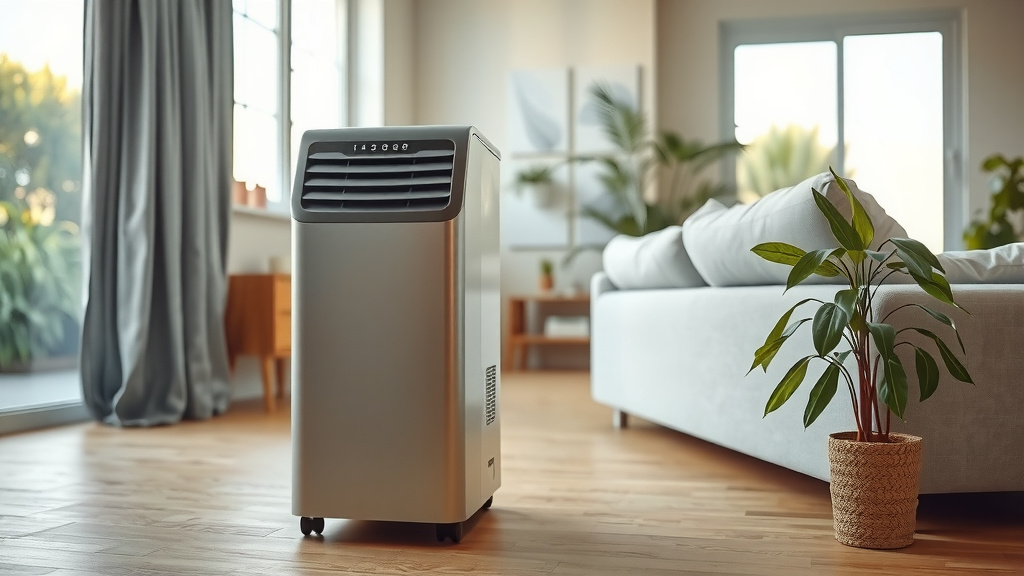
Can You Dry Electronics with Dehumidifier Exhaust Air?
Dehumidifier exhaust air may help dry a damp room, but don't aim it at wet electronics. The warm airflow can expose parts to heat, spread dust, and leave moisture trapped inside; power off the device and follow its manufacturer’s drying guidance.
On this page (7 sections)
- Is dehumidifier exhaust air safe for drying electronics?
- What should you do if electronics get wet?
- How can you place a dehumidifier around electronics?
- Can a moisture absorber help protect a storage area?
- Do air filters or humidifier panels dry wet electronics?
- When should you stop and get repair help?
- How should you use dehumidifier exhaust around electronics?
Dehumidifier exhaust air may help dry a damp room, but don't aim it at wet electronics. Its outlet can be warmer than the room, and airflow cannot confirm that moisture inside a device has evaporated.
Turn off and unplug equipment if you can do so safely. Keep it out of the exhaust stream, then use the device maker's instructions or a qualified repair service, especially if liquid entered the case.
Is dehumidifier exhaust air safe for drying electronics?
Use a dehumidifier to lower room humidity, not as a heat source for electronics. The exhaust may be warm, and direct airflow can expose a device to heat without drying moisture trapped inside it.
A dehumidifier removes moisture from the room air and sends air back into the space. That can help control the room's humidity, but it doesn't clean, inspect, or dry a circuit board inside a phone, laptop, camera, or game console.
Heat can affect plastics, adhesives, batteries, screens, and other parts. Since outlet temperatures differ among units and conditions, don't guess that the airflow is mild enough for a specific device.
For a wet electronic device, follow its manual and manufacturer guidance. Our overview of whether a dehumidifier can cause damage covers placement and moisture concerns around household items.
What should you do if electronics get wet?
Power the device off and disconnect it from power if you can do so safely. Don't charge it, press buttons repeatedly, or turn it on to see if it works.
Remove detachable accessories, such as a case or cable, only if doing so is safe and the device instructions allow it. Wipe visible moisture from the exterior with a soft, dry cloth.
Don't open a device unless you are qualified and its instructions allow it. A battery or internal component can make an improvised repair risky, and a device that looks dry on the outside may still contain moisture.
If the device was submerged, exposed to salt water, or has a built-in battery, contact the manufacturer or a repair service promptly. Ask what to do before using rice, heat, compressed air, or any cleaning fluid, since these can cause further problems.
Can a dehumidifier dry moisture inside a phone or laptop?
A dehumidifier may lower room humidity, but it can't confirm that moisture has left a device's interior. Avoid placing a phone or laptop near the exhaust to speed up drying.
Keep the device powered off in a dry, stable place, following the manufacturer's instructions. If the maker advises service after liquid exposure, room drying isn't a substitute for that inspection.
How can you place a dehumidifier around electronics?
Keep electronics outside the direct outlet stream and away from water paths. Leave the air intake and outlet clear, and follow the clearances in both manuals.
Place the unit on a level, stable surface. Keep cords and electronics away from the tank, drain hose, and places where water could spill or collect.
Don't cover the dehumidifier or aim its outlet at a shelf of devices. The airflow needs room to circulate, and equipment packed close together can also limit cooling around the electronics.
If the only place for the unit is beside a computer or television, choose a different spot when possible. For more on airflow and outlet placement, see whether a dehumidifier needs an exhaust.
Does the exhaust temperature vary by dehumidifier type?
Yes, airflow and operating conditions can differ across models and types. Don't rely on a generic temperature estimate to decide whether a specific device can sit in the outlet stream.
Desiccant and refrigerant units work differently, and their safety considerations vary. Read whether desiccant dehumidifiers are safe and whether refrigerant dehumidifiers are safe for broader questions about those designs.
For a specific A3 refrigerant model, review whether A3 refrigerant dehumidifiers are safe and follow its manufacturer guidance. None of these type comparisons establishes a safe exhaust temperature for electronics.
Can a moisture absorber help protect a storage area?
A moisture absorber can help manage damp air in an enclosed space, but it does not dry wet electronics. Keep it stable and follow its label directions, especially around children and valuables.
DampRid's fragrance-free high-capacity bucket attracts and traps excess moisture and is intended for larger spaces such as basements and garages. Its sealed safety cover is designed to resist spills, and the bucket should be discarded once the crystals have fully dissolved.
Use it only where its container can remain upright and undisturbed. It is not a replacement for safely drying a device or addressing water that has entered its housing.
Do air filters or humidifier panels dry wet electronics?
No, an air filter or humidifier water panel does not dry electronics. These items serve different roles in an indoor air system.
The AprilAire 410 is a replacement filter for compatible AprilAire whole-house air purifiers. It is designed to trap airborne particles, not remove liquid from a device.
The AprilAire 10 water panel is made for compatible whole-house humidifiers and supports the evaporation process in those systems. It adds a moisture-management component for a humidifier, so it is not a drying aid for wet equipment.
When should you stop and get repair help?
Get repair guidance if liquid reached the inside, the device behaves oddly, or it won't power on after exposure. Keep it disconnected while you contact the maker or a qualified technician.
Stop using a device that smells burnt, feels unusually hot, shows a battery warning, or has visible corrosion. Don't keep testing it, since power can worsen damage when moisture remains inside.
For equipment stored in a cold garage or shed, let it reach the temperature recommended by its manufacturer before powering it. See whether a dehumidifier can be stored in freezing temperatures for cold-storage considerations about the dehumidifier itself.
How should you use dehumidifier exhaust around electronics?
Use the dehumidifier to manage room humidity, and keep its exhaust away from electronics. If a device gets wet, switch it off, avoid charging it, and follow the device maker's drying or repair instructions.
Choose a moisture absorber for a damp storage area if a passive option fits, and use filters or humidifier panels only for the systems they support. For liquid inside a device, get guidance from the manufacturer or a qualified repair service.
Frequently asked questions
Can dehumidifier exhaust air dry a wet phone?
Don't use dehumidifier exhaust as a direct drying method for a wet phone. Turn it off, disconnect power if you can do so safely, remove accessories, and follow the phone maker's instructions.
If liquid entered the device, get repair advice before turning it back on.
Is dehumidifier exhaust hot enough to damage electronics?
The outlet air can be warmer than the room, but the temperature varies by unit and operating conditions. Don't assume it is safe for a device: keep electronics out of the direct stream, leave space around the dehumidifier, and follow both manufacturers' placement guidance.
How far should electronics be from a dehumidifier?
Use the clearances in the dehumidifier and electronics manuals, since there is no universal safe distance. Keep devices away from the outlet stream, intake, water tank, drain hose, and any spill path, while leaving the unit enough open space to move air.
Should you turn on electronics after they get wet?
No, don't power on a device that may still be wet inside. Disconnect it from power if safe, avoid charging it, and follow the maker's steps or contact a qualified repair service; drying the outside doesn't confirm that internal parts are dry.