Can You Put a Dehumidifier Inside a PC?
No, don't put a dehumidifier inside a PC case. Use a room dehumidifier if the surrounding air is damp, and keep moisture absorbers outside the computer.
On this page (8 sections)
- Can you put a dehumidifier inside a PC case?
- Why does a PC need clear airflow?
- What should you do if the room is humid?
- Can a moisture absorber go inside a computer case?
- What if condensation or liquid gets inside the PC?
- How can you reduce moisture around a computer?
- Can you use a dehumidifier on a timer near a PC?
- What is the safest way to control humidity near a PC?
No, don't put a dehumidifier inside a PC case. The case needs clear airflow, and a device or moisture absorber placed among the parts could obstruct fans, shift into components, or create a spill or electrical hazard.
If the room is damp, control humidity outside the computer. Keep the PC powered off if you see condensation or suspect moisture inside, and follow the computer maker's instructions before using it again.
Can you put a dehumidifier inside a PC case?
A dehumidifier inside a PC case is not a safe way to manage humidity. A PC case isn't designed as a room for another appliance, and its fans and vents need open paths for cooling.
Even a small cordless moisture absorber could move or block airflow. A powered dehumidifier adds heat and electrical parts near computer components, while any liquid or leak could damage them.
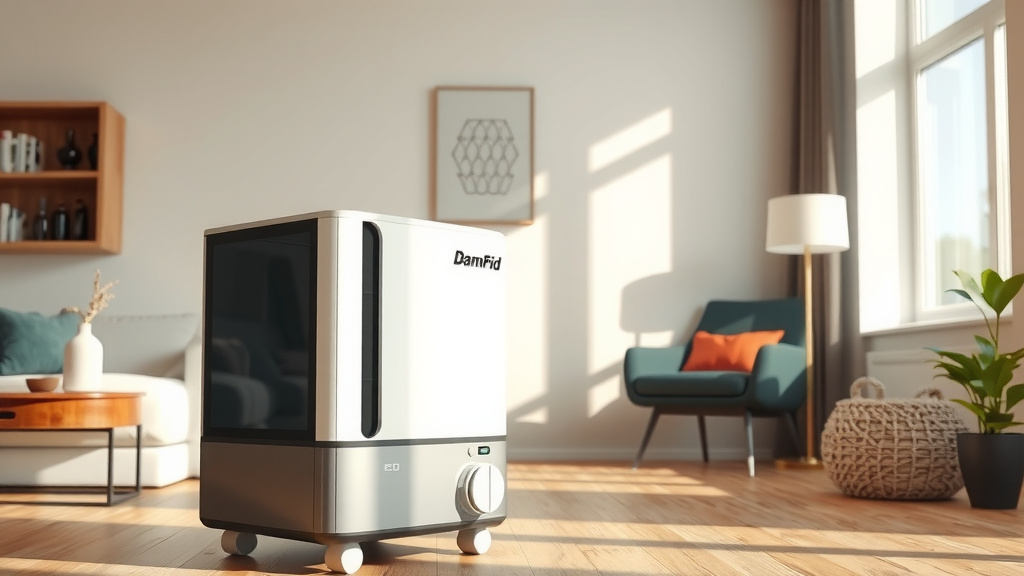
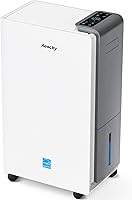
Instead, keep moisture control in the room. Set a room dehumidifier on a stable surface away from the computer, with its air intake and outlet unobstructed and its water container positioned as the instructions require.
Why does a PC need clear airflow?
PC fans move heat out of the case, so leave their intakes and exhausts unobstructed. An object inside the case may interfere with that airflow or get caught near a fan.
Don't attach a moisture absorber to a fan, graphics card, or case wall. Avoid placing packets near vents where they could fall inside or block a path.
If your computer manual gives placement or ventilation instructions, use those first. For general moisture control, learn what a moisture absorber is and keep it in a suitable small space, not among active electronics.
What should you do if the room is humid?
Lower the room's humidity rather than trying to dry the inside of the computer. A room dehumidifier can treat the surrounding air, while ventilation may help when outdoor conditions are drier.
Keep the dehumidifier far enough from the PC that it won't blow directly into the case. Check its instructions for clearance, drainage, and operating conditions, and empty the tank as directed.
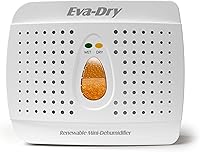
A compact rechargeable absorber is designed for small enclosed spaces, such as closets and cabinets. The Eva-Dry Wireless Mini Dehumidifier is cordless and uses rechargeable silica gel beads.
Place it on a steady shelf or in a nearby cabinet, not where it can fall into the computer or obstruct room ventilation. It isn't a substitute for a room dehumidifier if the whole room is damp.
For another comparison of moisture absorbers and powered units, see whether DampRid works like a dehumidifier. The materials in a product can also help you understand how it captures moisture, as explained in what is in DampRid moisture absorbers.
Can a moisture absorber go inside a computer case?
Keep moisture absorbers outside a running PC case. Packets and hanging units can shift, obstruct fans, or leave residue if damaged, and they won't address moisture throughout the room.
A sealed computer storage container is a different situation from a powered case. If you store a computer powered off, use the computer maker's storage guidance and keep any absorber secured so it can't touch or shed material onto the device.
Don't open a moisture absorber or place loose crystals near electronics. For a comparison of passive absorbers and compressor-style units, read whether DampRid works as well as a dehumidifier.
What if condensation or liquid gets inside the PC?
Turn the computer off and don't power it back on while moisture may be present. If safe, disconnect power and peripherals, then follow the maker's support instructions or contact a qualified repair service.
Don't shake the case, use a vacuum, or apply a heat gun. These actions can move liquid, create static, or expose parts to damaging heat.
Wait for professional guidance if liquid entered the case or you see droplets, residue, or corrosion. Letting the case sit open does not guarantee that moisture has cleared from connectors or parts.
How can you reduce moisture around a computer?
Keep the PC in a dry, ventilated room and prevent condensation before it forms. Avoid placing it against a damp wall, on a wet floor, or beside a source of steam or leaks.
If the computer was brought in from cold storage, leave it powered off until it reaches room temperature. This gives condensation a chance to dissipate before electricity flows through the system.
Use a room humidity meter if you need to monitor conditions, and compare readings with the computer maker's operating range. If dampness returns, check for leaks and consider room-level dehumidification rather than adding anything inside the case.
Can you use a dehumidifier on a timer near a PC?
You can use a timer only if the dehumidifier supports timer operation and its manual allows it. Keep the unit stable, leave clearance around its vents, and manage its drainage as instructed.
A timer doesn't make a placement inside the case safe. For setup considerations around room dehumidifiers, see whether you can put a dehumidifier on a timer.
What is the safest way to control humidity near a PC?
For a damp room, use a room dehumidifier outside the case and keep the computer's airflow paths clear. For a small storage cabinet, a rechargeable absorber may suit the space if it can be secured away from the computer.
Never put a powered dehumidifier or loose moisture absorber among active PC parts. If moisture is already inside, turn the system off and get repair guidance before using it again.
Frequently asked questions
Can a dehumidifier damage a PC?
A dehumidifier outside the computer can lower room humidity, but placing one inside the case can create risks from heat, airflow blockage, spills, or electrical contact. Keep devices and moisture absorbers outside the case, and follow the computer maker's guidance for cleaning and storage.
Can I put silica gel inside my PC?
Avoid placing loose silica gel packets or moisture absorbers inside a running PC. They can shift into fans or openings, and they don't control room humidity.
Keep them in a dry storage container with the computer powered off if the computer maker's instructions allow it.
What humidity is safe for a computer?
Use the operating and storage ranges in your computer's manual because limits vary by model. If the room feels damp or condensation appears, turn the computer off and let it acclimate to the room before powering it on; don't direct hot air at its parts.