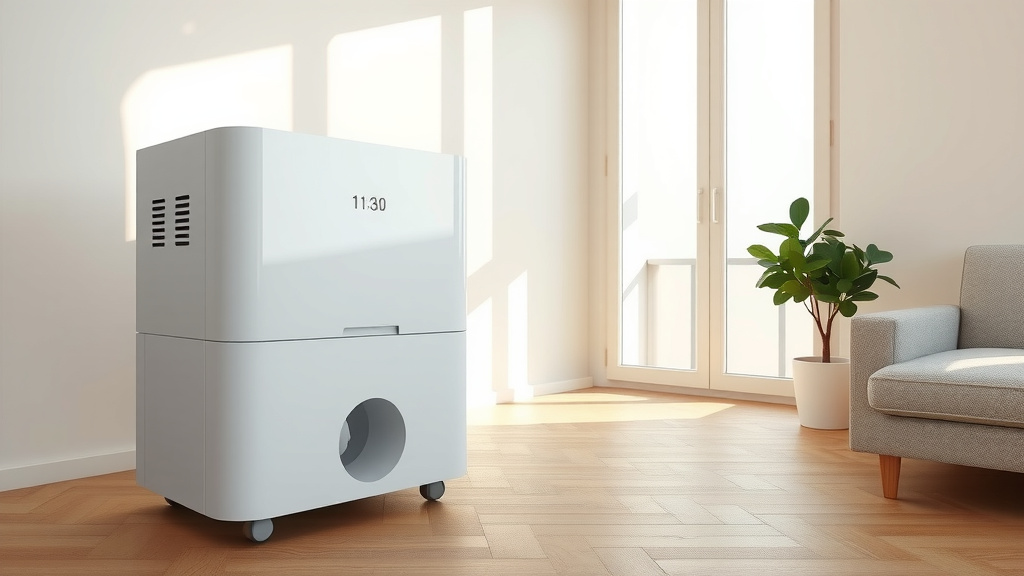
What Is the Dehumidifier Timer Function?
A dehumidifier timer lets you schedule when the unit starts, stops, or both, if your model offers those settings. The timer controls run time; it doesn't set the room's target humidity.
On this page (11 sections)
- What does the dehumidifier timer function do?
- Do dehumidifiers have timers?
- What is the difference between an on timer and an off timer?
- How do you set a dehumidifier timer?
- Can a timer replace the humidity setting?
- When is using a timer helpful?
- Can you put a dehumidifier on an external timer?
- What should you check before setting a timer?
- What can help if you don't need a powered dehumidifier?
- Do air filters or humidifier panels work with a dehumidifier timer?
- What is the dehumidifier timer function in brief?
A dehumidifier timer lets you schedule when the unit starts, stops, or both, if your model includes those settings. It controls operating time, while a humidity control sets the moisture level the dehumidifier tries to maintain.
Some timers count down from the current time, while others delay the next start. The labels and button sequence differ, so use your model's manual to confirm what each setting does.
What does the dehumidifier timer function do?
The dehumidifier timer function sets a run schedule or a delayed start. Depending on the model, you might choose how many hours the unit runs, how long it waits before turning on, or both.
A timer can be useful when you want to limit operation to a certain part of the day. It doesn't measure humidity or decide whether the room needs more moisture removal.
Some models also have a humidistat or a target humidity setting. If yours does, set that control for the room and use the timer separately to manage when the unit can run.
Do dehumidifiers have timers?
Many dehumidifiers have timers, but not every model has the same options. A unit may offer an off timer, an on timer, or a schedule that includes both.
The control panel may show a clock icon, “Timer,” or a number followed by “h.” A countdown can mean the unit will stop after that many hours, but the exact behavior depends on the model.
Read the instructions before setting a timer for an unattended room. For a model-specific example, see how to use a Pro Breeze dehumidifier.
What is the difference between an on timer and an off timer?
An on timer delays startup, while an off timer limits how long the dehumidifier runs. A unit with both options may let you schedule a start and a stop.
An on timer can help you plan for a room to be dehumidified before you use it. An off timer can prevent the unit from running past a period you choose, though a full water tank or another control may stop it sooner.
Don't assume “timer” means the same thing on every control panel. Check whether the display shows remaining run time or time until startup before leaving the room.
How do you set a dehumidifier timer?
To set a dehumidifier timer, select the on or off function, enter the time, and confirm the display. The button sequence and available time increments vary by model.
A typical process looks like this:
- Turn on the dehumidifier if you're setting a run-time countdown.
- Press the timer button and check whether the control shows a delayed start or a stop time.
- Use the up or down buttons to choose the number of hours.
- Press the timer button again, or wait, if the manual says the setting saves automatically.
- Confirm the display shows the time you intended.
If the timer doesn't behave as expected, cancel the setting and check the manual before trying again. The steps in how to set the timer on a dehumidifier can help you match the controls to your unit.
Can a timer replace the humidity setting?
No, a timer can't replace a humidity setting. It controls time, while the humidity setting tells a compatible dehumidifier when to slow or stop based on the room's moisture level.
A timer-only plan may run for too long or stop before the room reaches your preferred setting. If the unit has both controls, use the humidity target to guide moisture removal and the timer to limit the operating window.
For a sense of how operating time can vary, read how long a dehumidifier should run per day. Room conditions, the unit, and the water collection setup all affect how long it runs.
When is using a timer helpful?
A timer helps when you want a dehumidifier to start later or stop after a chosen interval. It can also help you avoid leaving a unit running longer than your plan.
Think through the room and the unit before scheduling:
- Delayed start: Useful when you want the unit to begin later, if your model supports this feature.
- Scheduled stop: Useful when you want a set run window, as long as the tank and other controls allow it.
- Both functions: Useful when the manual confirms that you can set both times together.
- No timer: You can operate the unit manually and use its humidity setting, if available.
A timer doesn't make a unit safe to run in every location or condition. A dehumidifier drain pan can help protect the floor from leaks or overflow.
Follow the manufacturer's directions for placement, drainage, and unattended operation.
Can you put a dehumidifier on an external timer?
Sometimes, but check the dehumidifier's instructions before using an external timer. A plug-in timer can interrupt power, and some units may not restart in the way you expect when power returns.
The unit's built-in controls are usually the clearest way to schedule operation. If you're considering a separate plug timer, first check whether the manual permits switching the power supply on and off this way.
Read whether you can put a dehumidifier on a timer for more on external timers and what to consider. Don't use a timer to bypass the unit's own shutoff or safety features.
What should you check before setting a timer?
Before scheduling a dehumidifier, check where its water goes and how the unit responds to a full tank. If you need a hose connection, compare dehumidifier drain hose adapters.
A timer won't empty the bucket or prevent an automatic shutoff.
If the unit collects water in a tank, check it before a long run. Learn more about whether you have to empty a dehumidifier, including how the tank affects operation.
If the collection tank needs replacing, see replacement buckets for dehumidifiers.
If your dehumidifier uses a compressor, its manual explains the controls and operating requirements for that model. Our guide to whether a dehumidifier has a compressor covers the basic difference between compressor and other designs.
What can help if you don't need a powered dehumidifier?
A moisture absorber can help in smaller damp areas where you don't need scheduled, powered moisture removal. It doesn't have an electric timer or a fan-driven control system.
DampRid says the bucket attracts and traps excess moisture and helps eliminate musty odors. Its crystals need replacement once fully dissolved, so check it periodically instead of relying on a timer.
This option won't provide the controls or powered operation of an electric dehumidifier. Follow the label directions and keep it out of reach of children.
Do air filters or humidifier panels work with a dehumidifier timer?
No, these replacement parts don't schedule a dehumidifier. They serve separate air-cleaning and humidifier systems, so they won't control a dehumidifier's start or stop time.
The AprilAire 410 is designed for compatible AprilAire air purifier models. It doesn't set a humidity target or schedule a dehumidifier.
The AprilAire 10 water panel supports evaporation in compatible humidifiers. Use it only with a listed compatible model, and don't treat it as a timer accessory.
What is the dehumidifier timer function in brief?
The dehumidifier timer function schedules a delayed start, a stop, or both, depending on the model. Use the manual to identify which timer setting you're choosing and how to cancel or adjust it.
If you need to manage a room's moisture level, use the humidity control when your unit has one. For compatible Hisense models, compare Hisense dehumidifier drain hoses.
Choose a built-in timer for scheduling, and check drainage and tank capacity before a long run. For a secure hose connection, compare dehumidifier drain hose connectors.
Frequently asked questions
Do dehumidifiers have timers?
Many dehumidifiers include a timer, but the controls vary by model. Some let you set a delayed start, others let you set a stop time, and some offer both.
Check your manual for the available timer range and whether the timer applies to the current run or a future start.
Does a dehumidifier timer control humidity?
No, a timer controls when the unit runs, while a humidistat or humidity setting controls the target moisture level. If your dehumidifier has both, set the humidity target for the room and use the timer only to limit or schedule operation.
Will a dehumidifier restart after a power outage?
It depends on the model and its settings. Don't assume a timer or schedule will resume as expected after an outage; check the manual and confirm the unit's controls after power returns, especially if you rely on it to manage dampness while you're away.
Can I use a timer if my dehumidifier drains into a bucket?
Yes, but the bucket still needs attention. A timer can stop the unit after a set period, but it won't prevent a full tank from stopping the dehumidifier earlier.
Check the tank level and empty it as directed, or use continuous drainage only if your model supports it.